Home › Roster › Small practices
“I need to get rid of my spreadsheet.”
The Roster is credentialing software for small practices. Bring your clinicians over from the spreadsheet in minutes, and the Roster keeps one Due list of every license, DEA registration, board certification and life-support card in your practice, soonest first.
$10 per clinician a month. Admin access is free. 30 days free with a card on file, and nothing is charged while your roster is empty.
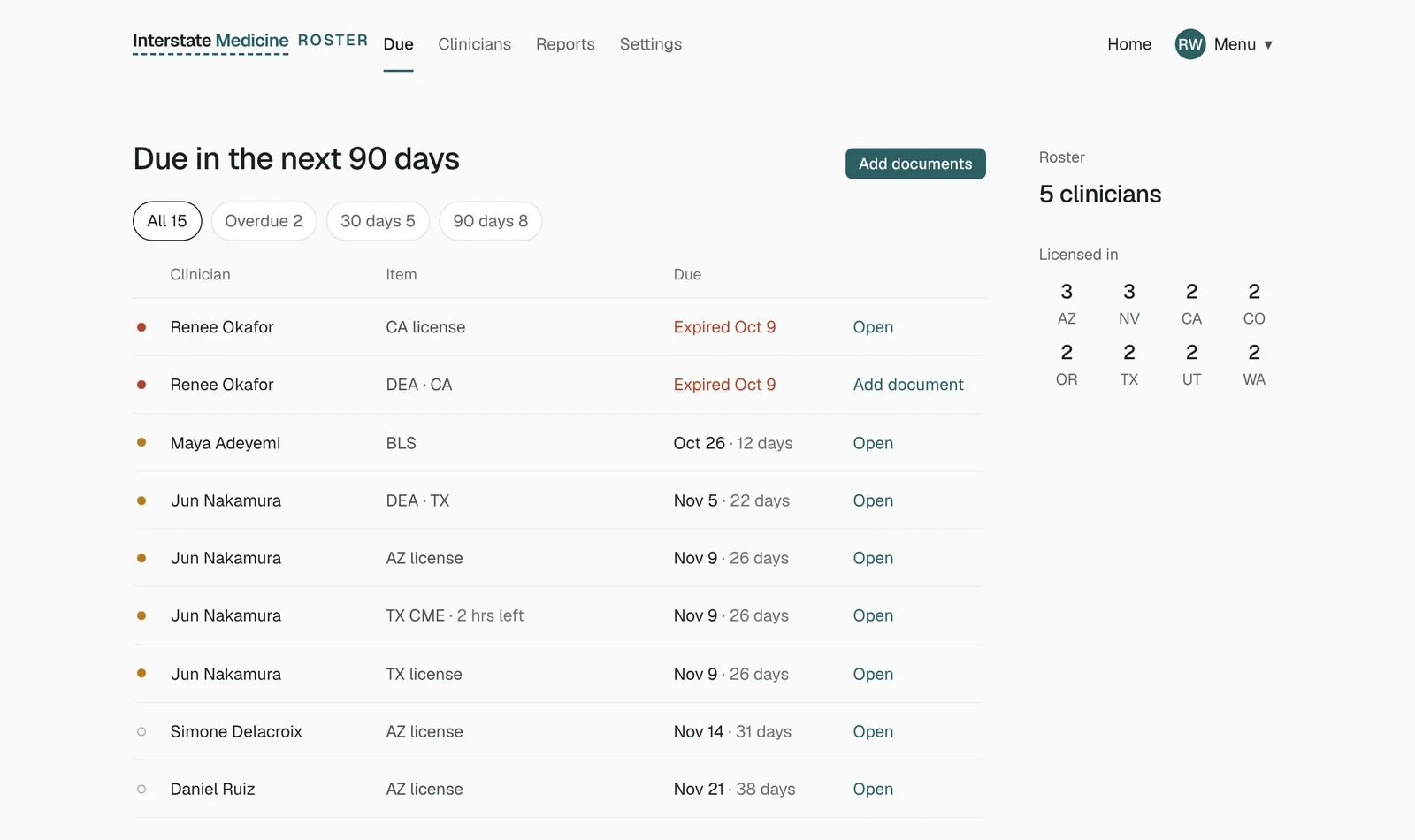
The Due list, with sample data.
What the Roster does
for a small practice
Import your roster
Excel or CSV, any layout. We bring in names, emails, NPI and specialty. You see the cost before anyone is added.
Drop in what they send
A license by email, a BLS card by text. Drop it in and we read it, match it to the right clinician and add the dates to their record once you confirm.
Work from one Due list
Everything due in the next 90 days, across every clinician, soonest first. Only what’s overdue is red.
A packet per facility
Add the facility and start date. Each item shows ready, expiring or missing. Ask for the gaps in one step.
Clinicians say yes because
the record stays theirs
Every clinician keeps their own Ledger, included in your price, and chooses how much your practice sees. Every document your staff adds shows on their own activity log. How access levels work.
$10 per clinician a month. Admin access is free.
30 days free with a card on file. Add a clinician mid-month and the remaining days go on your next bill. Reports and CSV export included.
What practice managers ask first
Can we import license numbers and expiration dates from our spreadsheet?
Will our clinicians be emailed when we import the roster?
What can our practice see of a clinician’s record?
Do you verify credentials or submit to the boards?
Retire the spreadsheet this week.
Import your clinicians today and invite them when you’re ready.
Related: The Roster, screen by screen · How often each credential renews · For one clinician, the Ledger